A Milky Way Picture Comparison between my Pentax Camera and my new S50 Pro
I travelled to Joshua Tree National Park, CA to take pictures of the Milky Way. I tried to do a Milky Way picture comparison between my Pentak K-3 II with the Astrotracer feature and my new SeeStar S50 Pro smart telescope. This was my first effort using the S50 Pro in the Milky Way mode.
When we were at Joshua Tree NP in early October and the core of the Milky Way was just above the horizon for about an hour after sunset. The issue I had with this was that there was a lot of light pollution from a city (Indigo, CA) south of the park.
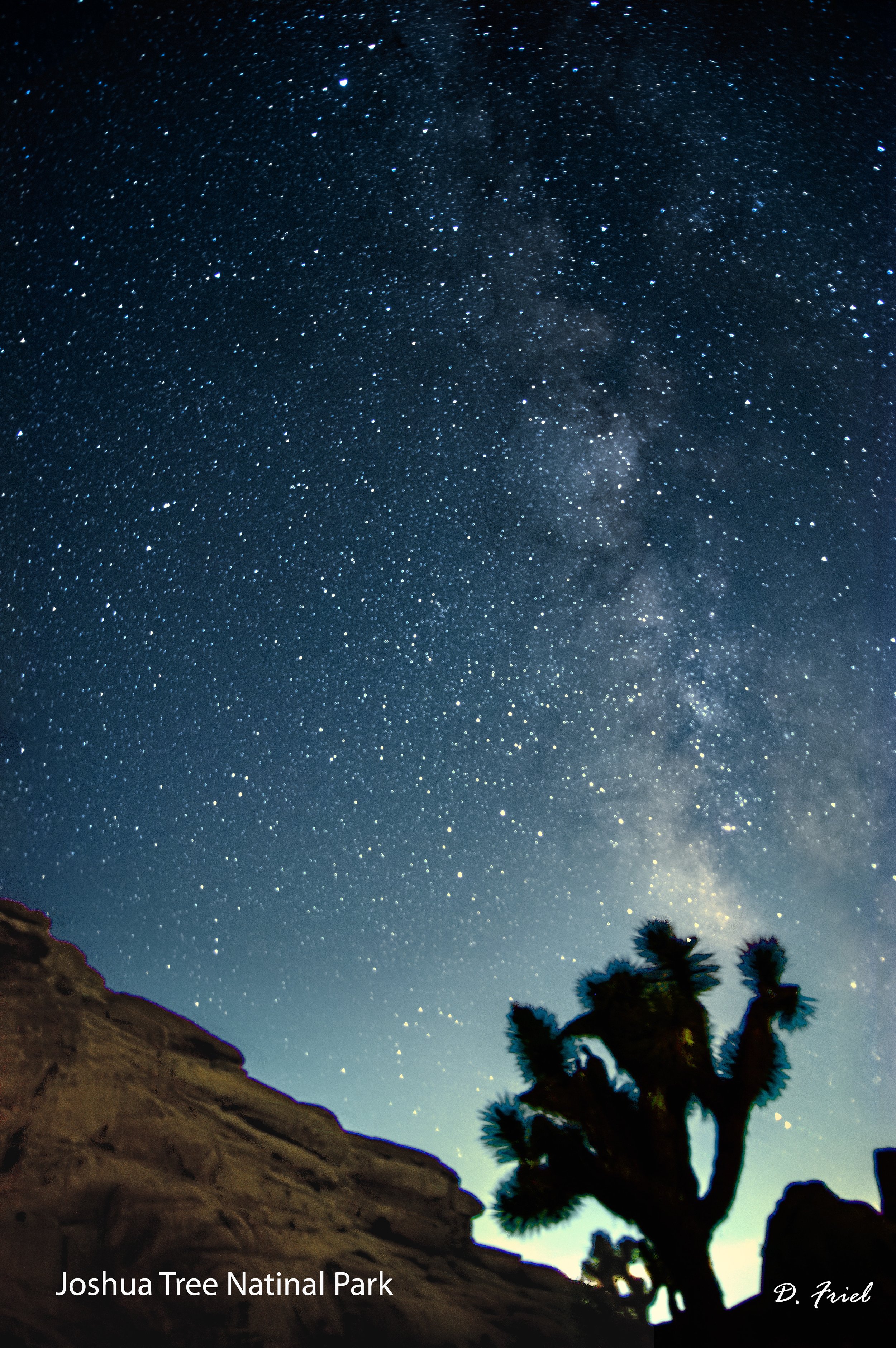
I setup the Pentax camera and the S50 Pro next to each other in portrait mode. I took pictures of the Milky Way with a Joshua tree and a rock formation in the foreground.
For the Pentax camera, I first focused the camera on a bright star, which I had to wait awhile until one became available and I could see with my camera. I then took 12 pictures with an exposure time of 70 seconds, an ISO of 1600 and a F-stop of f/3.5. Once I returned home, I processed each picture in Photoshop to make the Milky Way pop although the light pollution at the Milky Way core complicated things and cause the Joshua tree and rock outline to over-expose. I then took the 12 processed images to my stacking SW (Sequator) to combine the 12 pictures to increase the visibility of the stars and do further processing (Dynamic Range/Enhance Star Light/Reduce Light Pollution/…). This stacking SW also allows one to fix the foreground, so the foreground does not blur during the stacking. Below is the final picture after stacking.
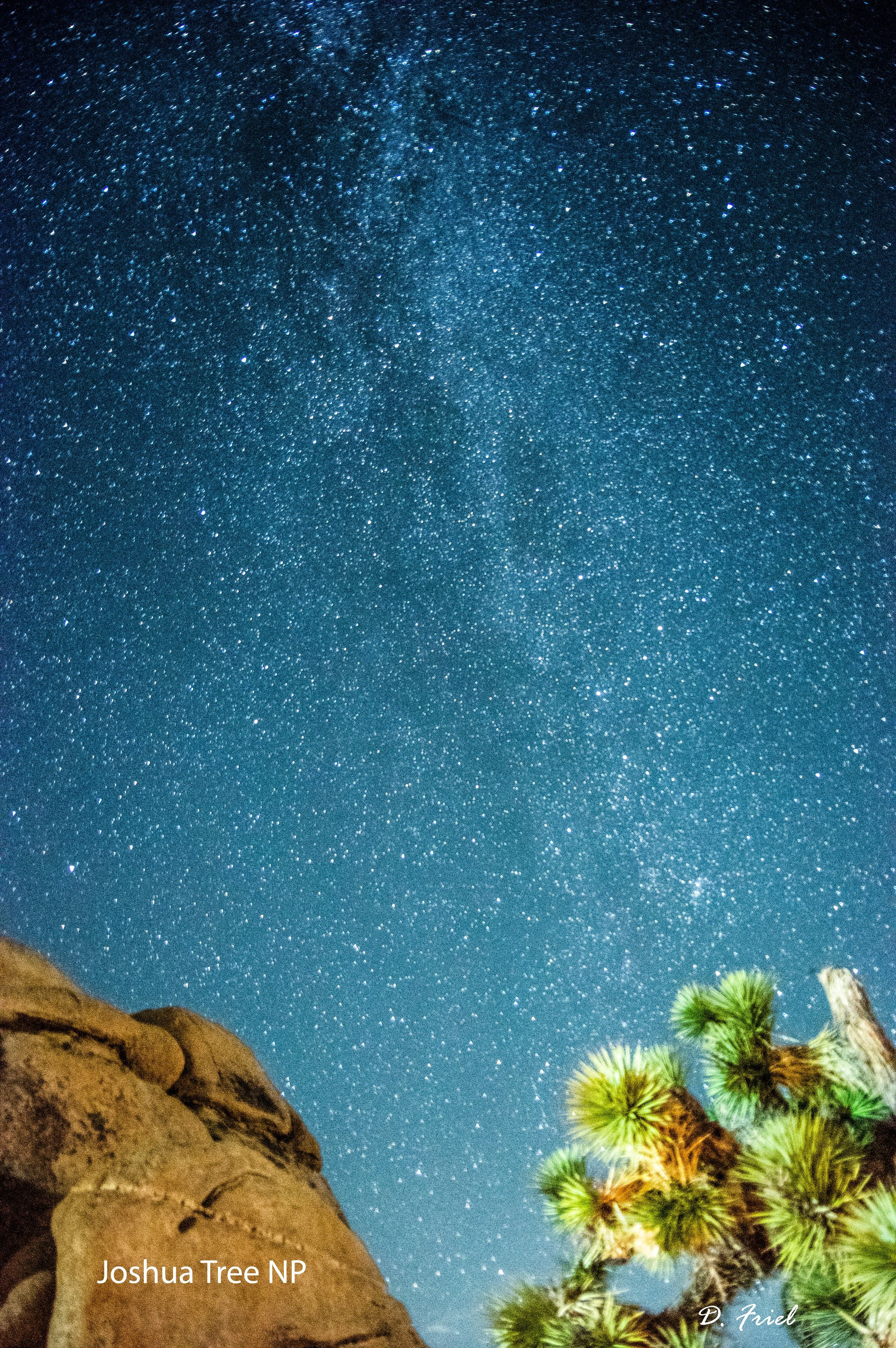
For the S50 Pro, I started by going into the Milky Way mode and setting the Exposure time to 30 seconds and the Freeze Ground time to 1 minute. I did not use the Save each Frame option as I wanted to do everything in the SeeStar App on my iPad. I also used the Original Size (portrait) mode because the Freeze Gound does not work in 8K mode. Next, I found a star near the Milky Way in the Star Catalog and set the scope to include some foreground. I hit goto and the S50 Pro auto focuses and moves to the Milky Way location. After taking some pictures, I used the manual joystick to get the picture location I wanted.
When you first start taking pictures, the S50 Pro does the freeze landscape pictures for one minute. When this was happening, a car with headlights must have come by and light up the foreground (light painting that I did not intend). Next the S50 Pro starts the 30 second exposures of the sky and stacks them so that the latest stacked image shows up in viewing. After 30 minutes of 30 second exposures and stacking, I stopped the S50 Pro. I then use the post processing in the SeeStar app to clean up the pictures. The AI Enhance function in the app did a good job to make the stars pop. I then move the enhanced picture in jpeg mode to my computer. Below is the final picture from the S50 Pro app.
The pros for the S50 Pro process:
ease of use
The location of the Milky Way can be automated by picking a star near the Milky Way in the Star Catalog and have the telescope go to this position and then manually use the joystick to find the final image location.
The telescope will auto focus on the stars so there is no need to manual focus it.
The Freeze Landscape feature was easy to use and did a good job on separating and processing the landscape from the stars.
The live stacking shows the last stacked image in the viewer. As each new image is stacked, you can see the improvement in star quality.
Post processing of the stacked image is done in the SeeStar app with tools for Editing (DBE, Brightness, Contrast, Saturation) and the AI Enhance mode. One then downloads a jpeg file of the enhanced image to your iPad or iPhone. The picture quality was fairly good.
The pros for the Pentak camera process:
Control of the process
I had better control of the raw images with control of the ISO, longer exposure times and F-stop.
I find that I can better enhance the images thru Photoshop and the stacking SW tool. I can enhance certain areas of the image instead of the total image as in the S50 Pro.
Summary
The S50 Pro was certainly an easier process to take Milky Way pictures than my camera but I still like the more control of the images when processing on the images on my computer. I may next have to store the individual images on the S50 Pro and then move the individual raw images to my computer where I can do my own stacking and processing.
